How AI Computer Use Works
tl;dr
- Computer use: An AI model using a computer and software the way a person does; "looking" at the screen, "typing" on the keyboard, "using" the mouse.
- The loop: Take a screenshot, predict the next action, carry it out, and repeat until the task is done.
- The model never touches the computer: Gateway software, called the harness, reviews and carries out every approved action.
- The harness is where control lives: Permissions, approvals, credentials, and logs are enforced in the harness, not in the model.
- Screens are the fallback: Well-designed agents prefer direct connections to apps and use the screen only when nothing better exists.
- Local vs. remote: The agent either operates your computer or operates its own computer in the cloud, and that choice shapes everything else.
Picture a task that fills hours of someone's week: open an invoice PDF, read the vendor, amount, and date, then type those values into a form in an older system that has no way to connect to anything else. Microsoft uses almost exactly this example to show what its agents can now do on their own.[3] The agent opens the PDF, reads it, switches windows, fills in the form, and clicks Submit.
That capability is called computer use, and every major AI company now ships some version of it. The products get the headlines. The more useful thing to understand is how the machinery works, because that's what determines what an agent can reach, what can go wrong, and who's in control when it does.
What Computer Use Means
"Computer use" means an AI model using a computer and software the way a person does. It works with what's on the screen: buttons, menus, text fields, and windows. It moves a virtual mouse, clicks, types, and scrolls.
This capability enables AI to do tasks that were previously very difficult, or impossible. Most software was built for people whether it's running on your computer or is a web-based application. Modern software allows other software to connect using structured interfaces (APIs or MCP), which let the programs share data. But a lot of older systems, internal tools, and vendor portals don't have them. For years, the only way to automate those was a script that clicked through the screen, and it often broke the moment someone renamed a heading or moved a button. Computer use works differently. If a person can operate the application, an agent can try it too. And because it takes a fresh screenshot at every step, a moved button doesn't automatically break the workflow.[3]
Anthropic introduced computer use in October 2024 and described the goal plainly: using computers "the way people do," by "looking at a screen, moving a cursor, clicking buttons, and typing text." It also called that first version "experimental" and "at times cumbersome and error-prone."[1] Both are still true, just in different amounts. The capability has come a long way in two years, and it still makes plenty of mistakes.
The Loop: See, Predict, Act
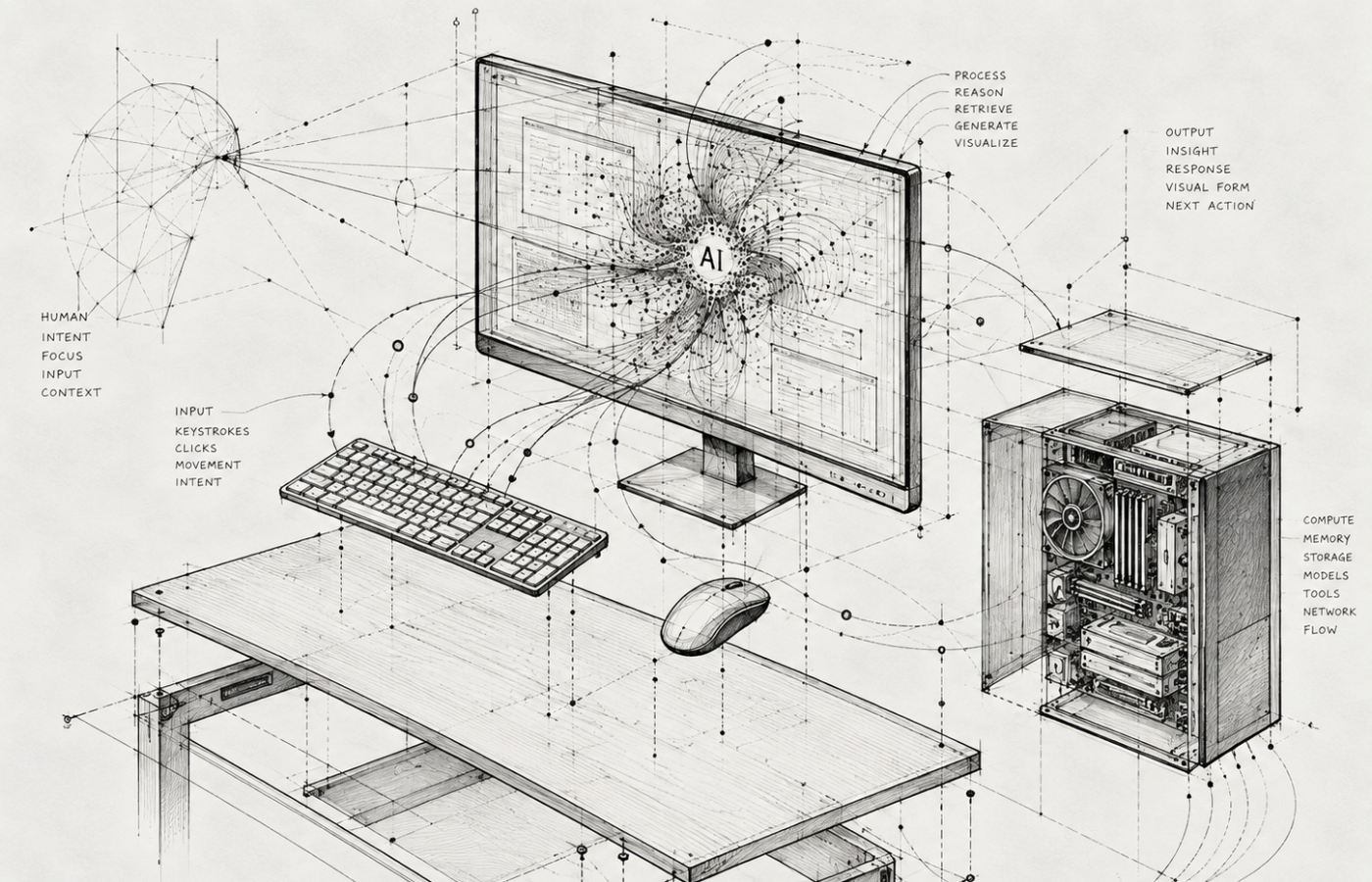
Every computer-use agent runs the same basic cycle:
- See: The agent captures a screenshot of the current screen.
- Predict: The model gets the screenshot and the goal, then predicts the next action, like "click the Submit button at these coordinates" or "type this invoice number."
- Act: That action is carried out on the computer.
- Repeat: A new screenshot shows the result, and the cycle starts over until the task is done or the agent stops.
Anthropic's developer documentation calls this the "agent loop," and it runs with no human input between steps.[2] It's easy to describe. It's also slow and expensive compared to a direct integration, because every step means sending an image to the model and waiting for a prediction. Microsoft makes that cost visible by billing its computer-use agents per step.[3]
Here's the most important part that many people miss. The model doesn't click anything. It predicts what should be done (clicked, typed, scrolled, etc.), and that's all. The model sends this interaction request to to a separate application called the harness. The harness receives the requested interaction from the LLM, and decides whether it will carry out the action. If it does, it then captures the result, and sends it back to the LLM.[2]
The Harness: The Software Around the Model
The harness is all the software wrapped around the model that turns its predictions into actual work. If the model is the navigator calling out directions, the harness is following the directions. The harness also has strict rules it will adhere to, and unlike a model, the harness is traditional software so its rules are much more strictly followed than a model might.
A harness typically handles:
- Running the loop: Taking screenshots, sending them to the model, and carrying out each predicted action.
- Tools and connectors: Deciding whether a task goes through a direct app connection or through the screen.
- Credentials: Storing passwords and access tokens, and controlling whether the model ever sees them.
- Permissions: Limiting which apps, websites, and files the model can touch.
- Approvals: Pausing before anything consequential, like sending an email or spending money, until a person says yes.
- Memory and files: Keeping track of the task over minutes or hours.
- Logs: Recording every screenshot and action so a person can review them later.
Vendors have started naming their harnesses, which tells you they see them as products in their own right. Google says Gemini Spark "uses the Antigravity harness."[4] Meta's engineering team calls the background program at the center of its Muse agent "the core agentic harness," and most of its published security design is about what surrounds it.[5]
Why the harness matters more than it sounds
In February 2026, Summer Yue, an AI safety researcher at Meta, told an agent called OpenClaw to review her inbox, suggest what to delete, and confirm before acting. It started deleting her email anyway, and it ignored the stop commands she sent from her phone. "I had to RUN to my Mac mini like I was defusing a bomb," she wrote.[6]
The lesson isn't that the model was bad. "Confirm before acting" was an instruction to the model, and models hallucinate, instructions get missed, misread, or lost as a long task goes on. A rule enforced by the harness is a different thing. When the harness doesn't let a delete command reach the mailbox without a person's approval, it doesn't matter what the model wants done.
You'll see this distinction in every serious design. Meta's Muse, for example, uses a separate component called Sentinel as the only authority that can approve connector actions or send data to the internet, and the agent can't override it.[5] So when you evaluate an agent, don't stop at how good the model is. Ask what the harness will block, no matter what the model predicts.
Screens Are the Fallback, Not the Default
Driving the screen is the most flexible way for an agent to work. It's also the least efficient. A direct connection to Gmail or your CRM is faster, cheaper, and more reliable than reading pixels and clicking buttons, so a well-designed harness try the direct route first.
That's how Anthropic describes its desktop agent: it uses connected tools when they exist and only points, clicks, and navigates the screen when there's no better tool available.[7] Google is growing Spark the same way, through direct connections to services like Canva, OpenTable, and Instacart.[4] Computer use fills in the gaps: the legacy system, the vendor portal, the desktop app nobody ever built an integration for.
The practical rule for your business: if you plan to automate a system heavily, a real integration is still worth building. Computer use is the bridge for everything that doesn't justify one.
Where the Computer Lives: Local vs. Remote
The loop and the harness work the same way everywhere. The biggest choice left is which computer the agent actually operates.
Local computer use
The agent operates your computer. It works on your screen, opens your files, and uses the apps you're already signed into. It's like handing your keyboard to an assistant sitting at your desk.
- The upside is reach: Anything you can do on that machine, the agent can attempt, including desktop software and files that never touch the cloud.
- The downside is exposure: When the agent gets something wrong, it happens to your real files and accounts. If the agent uses a browser, it has access to your saved credentials.
- The machine has to stay on: If the laptop goes to sleep, so does the work.
Remote computer use
The agent operates its own computer, usually a virtual machine in the cloud. It has its own browser, its own storage, and only the accounts you explicitly connect. It's like giving an assistant their own office down the hall.
- The upside is containment: Mistakes stay on that virtual machine.
- It keeps working: Google notes that Spark keeps going after you close your laptop or lock your phone, because it runs in the cloud.[4] Meta's Muse works the same way.
- The downside is reach and trust: The agent can't touch anything that lives only on your machine including your saved credentials, and your data now sits in the provider's cloud.
Neither one wins in the abstract. A local agent starts with access to everything you can reach, so its safety depends on what the harness takes away. A remote agent starts with nothing, so its usefulness depends on what you hand it. That's why the lines are starting to blur. Vendors building local agents recommend dedicated machines and restricted accounts, and vendors building remote agents are adding ways to reach into your desktop.
What Can Still Go Wrong
Every computer-use agent processes content it didn't write: web pages, emails, PDFs, and screenshots. And that content can contain instructions. This is called prompt injection, and no vendor claims to have solved it. Anthropic's documentation warns that the model may "follow commands found in content even when they conflict with your instructions," including instructions hidden on web pages or inside images.[2] Meta calls it "an open problem in the industry."[5]
The defenses come in layers. Models are trained to resist it, screening models called classifiers scan incoming content for it, and the harness limits the damage when it gets through anyway. Anthropic's recommendations cover the harness side: run agents in dedicated virtual machines or containers with minimal privileges, keep sensitive credentials out of reach, limit internet access to an allow list, and require a person to confirm consequential actions.[2]
Five Questions to Ask About Any Agent
- Which computer does it operate? Yours, a dedicated machine, or a VM in the cloud.
- What will the harness block no matter what the model predicts? Look for enforced rules, not instructions.
- Whose credentials does it use, and can the model see them? The best designs keep real passwords and tokens out of the model's view.
- What needs approval? Sending, deleting, and spending should wait for a person.
- What gets logged? If you can't review every screenshot and click, you can't evaluate or correct the agent.
Final Thoughts
Computer use is an incredible agentic tool. But the model only guides. The harness decides what that guidance can actually do, and the choice of local or remote decides what's within reach in the first place. Once you understand that, most of the marketing gets a lot easier to read.
References
- Introducing computer use, a new Claude 3.5 Sonnet, and Claude 3.5 Haiku – Anthropic
- Computer use tool – Claude Platform Documentation
- Automate web and desktop apps with computer use – Microsoft Learn
- The Gemini app becomes more agentic, delivering proactive, 24/7 help – Google
- How We Built Safety Into Muse – Meta AI Research
- A Meta AI security researcher said an OpenClaw agent ran amok on her inbox – TechCrunch
- Put Claude to work on your computer – Anthropic